 Cross-origin apps
Source
Splice your sites together.
A Chromium fork that runs a new kind of app: one HTML file that shows live pieces of the sites you are signed in to, reads their data, and presses their buttons. Ask an agent for one in a sentence, such as a dashboard of your own numbers from many sites.
A proof of concept. macOS on Apple silicon, unsigned build. The download and the source are not up yet.
Ask for it.
Type what you want on the new tab page. The agent looks at your sites as you, writes one file, and the browser runs it. The apps in these demos took about two minutes each.
Real pieces, not copies.
A shown piece is the site’s own element, live, in your own session in a hidden tab. Click it and you are clicking the site. Reads come from the page’s own data: the requests it makes, the data it embeds, the rows it draws.
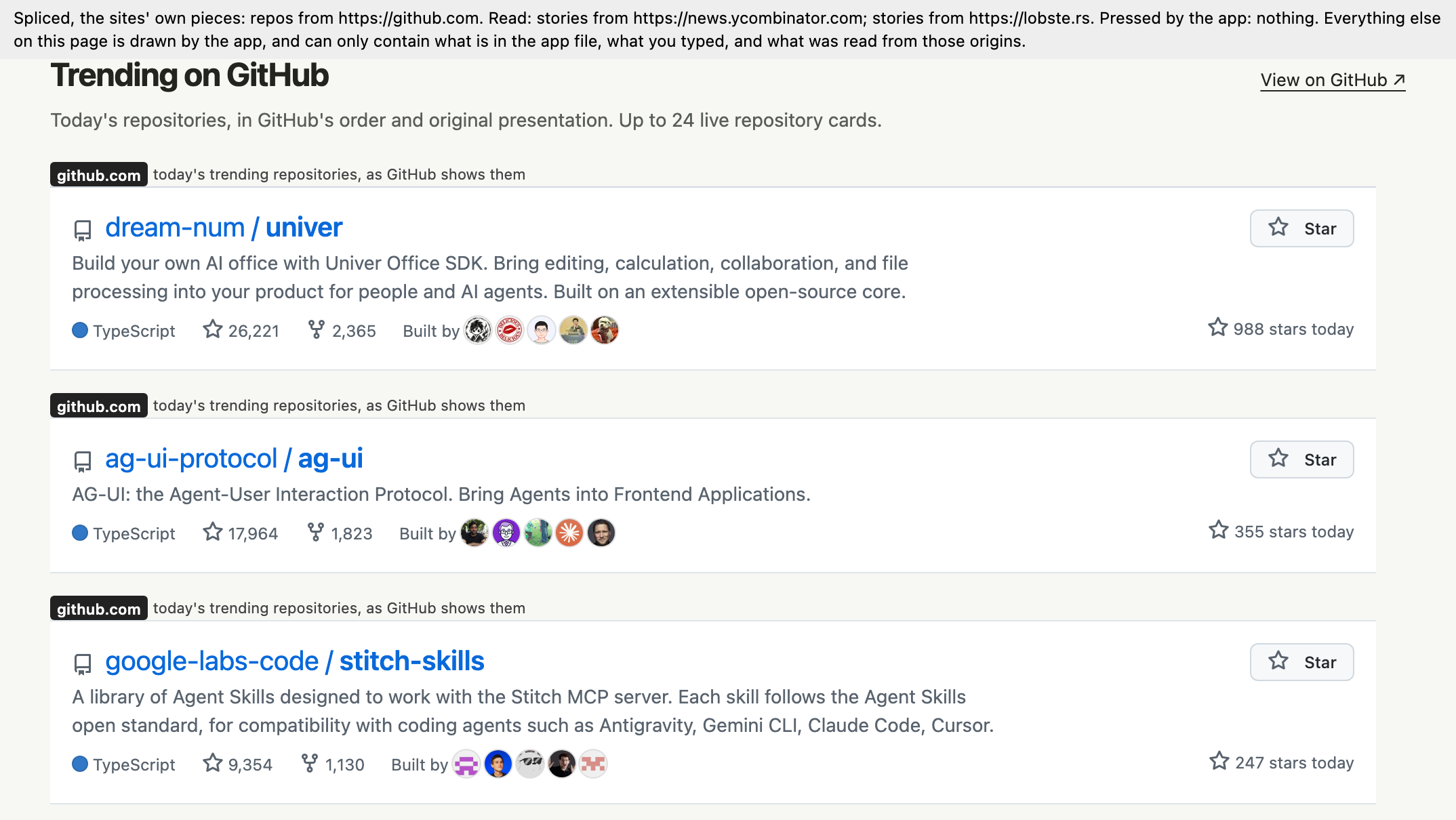
Dashboards, not just pages.
Your own numbers from many sites, in one place, live. The browser comes with ready-made components and charts from an open-source (MIT) design system: metric tiles, cards, data tables, sparklines, charts. The agent reads short guides on laying out a dashboard and choosing a chart, so an app looks good without hand-written styling.
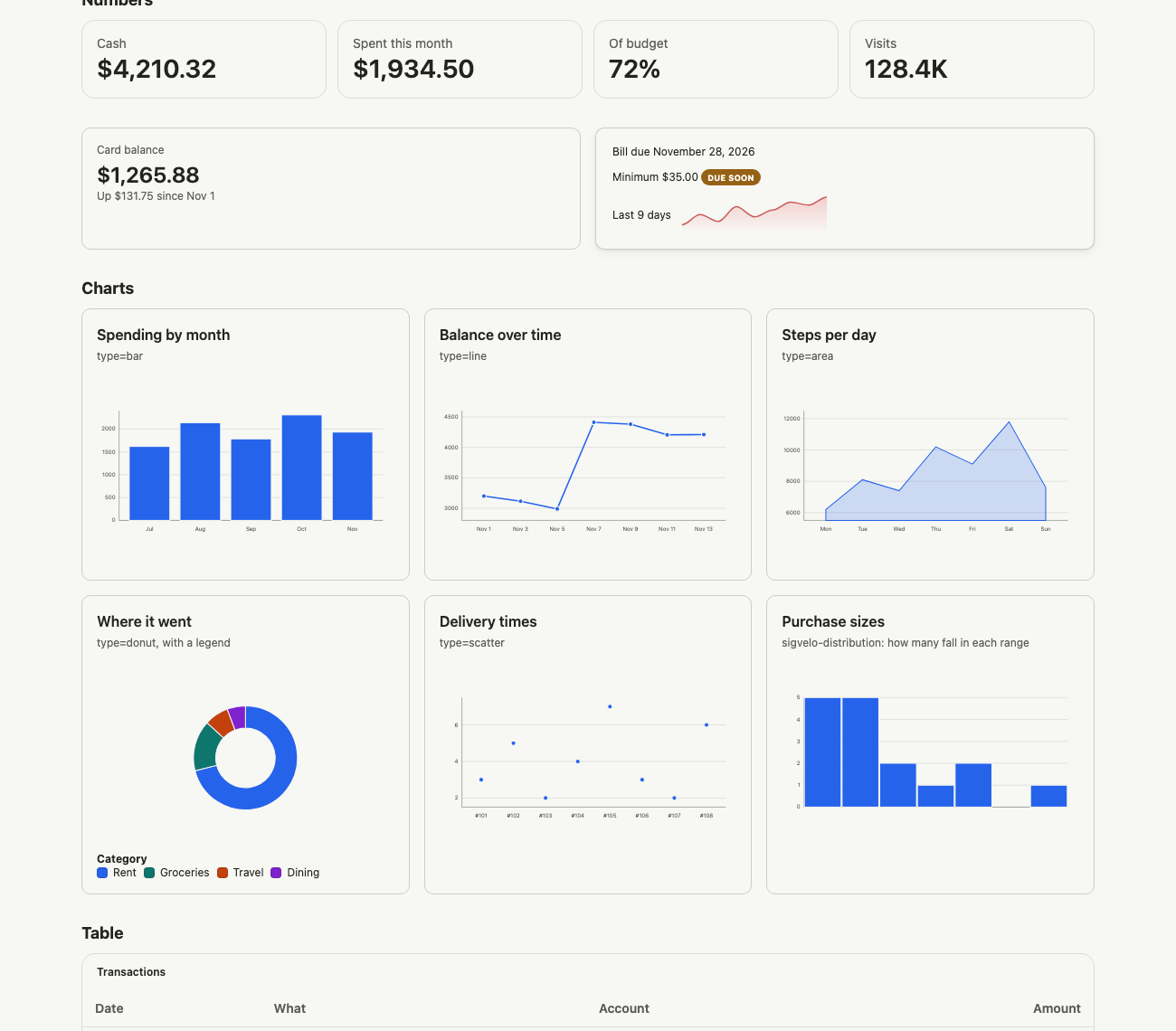
One button, several sites.
An app’s button presses the site’s real control: a real click on the site’s own element, one press per click of yours.
It repairs itself.
When a site changes and a piece stops matching, the browser mends the file itself if exactly one element on the page has the size and words the piece last had. Otherwise it asks the agent to repair the file.
An app is a file.
A JSON manifest names the exact sites and the parts the app uses; ordinary HTML follows. The file lives in a folder, ~/Apps, and anything that writes a file there has made an app: an agent, an editor, cp.
<script type="application/json" id="manifest">
{
  "name": "Front page",
  "origins": {
    "https://github.com": {"parts": {
      "repositories": {
        "for": "show", "arrive": "/trending",
        "find": "article.Box-row",
        "means": "GitHub trending repositories"
      }
    }}
  }
}
</script>
<!doctype html>
<title>Front page</title>
<site-part host="github.com" part="repositories" each max="12"></site-part>each shows every matching card, in the site’s order, as the site’s own piece.Bring your own agent.
Any extension can be the agent. The browser serves it four tools over MCP (app_guide, look, check_app, app_health) and calls it when you ask for an app or when one breaks. Nothing in the extension has to know about this browser. Rook is the agent it was tested with.
How small it is.
- ~1,350
- lines changed across 34 Chromium files
- ~2,400
- lines of plain JavaScript for the app runtime, with no build step
- 19
- components and charts in the kit, one vendored file
What it is not.
- It is a proof of concept, not a product.
- Every shown piece costs a whole hidden tab, kept visible at 1024×768, so a list of a site’s pieces stops at 24.
- A piece shows whole or not at all: scrolled partly out of view, it is covered by a gray box until all of it is back.
- Nothing asks you before a new app first runs. An app names its own sites.
- No agent is included. The Rook build in these demos is not released yet; without an agent you can run the examples and write app files by hand.
- The build is unsigned.
- It runs on Macs with Apple silicon only.
- The bank and card in the demos are made up.
Try it.
- Download the zip and unzip it.
- Open Cross-Origin Apps. The build is unsigned, so macOS refuses the first time: open System Settings, Privacy & Security, and press Open Anyway. Or run
xattr -dr com.apple.quarantine "Cross-Origin Apps.app"once. - It opens on the Apps page with a few example apps made of public pages. To ask for new ones, plug in an agent: start it with
--agent-dir=<an unpacked extension>. - Or build it from source: one patch on Chromium and a folder of plain JavaScript.